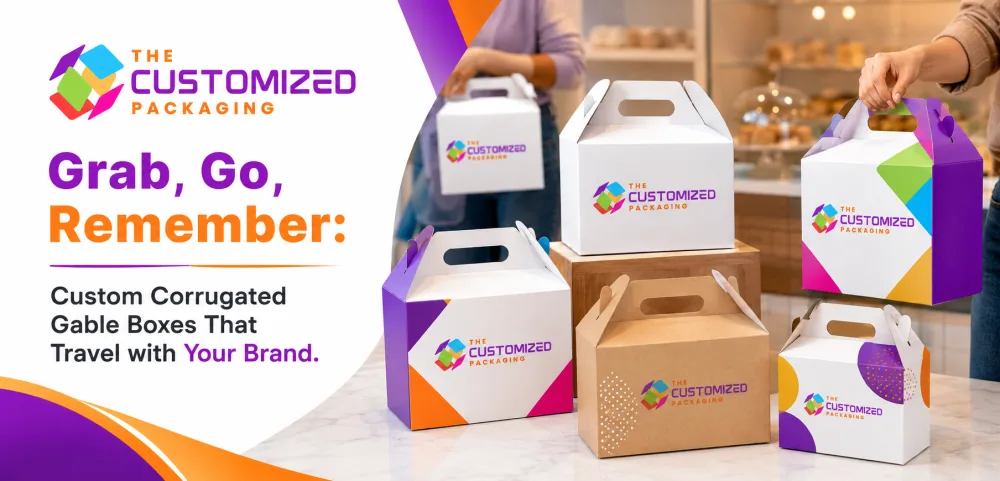
Grab, Go, Remember: Custom Corrugated Gable Boxes That Travel with Your Brand
Custom corrugated gable boxes help brands extend their visibility beyond the store counter, bakery pickup shelf, restaurant handoff, event table, or retail checkout. Their built-in handles allow customers to grab the package, carry it conveniently, and expose the company logo, colors, website, QR code, and promotional message while moving through offices, shopping centers, event venues, hotels, schools, neighborhoods, and public spaces.
 Published June 24, 2026
36 min read
Published June 24, 2026
36 min read
Packaging usually performs its most visible work before a customer leaves a store, bakery, restaurant, event, or pickup location. Once the transaction is complete, many cartons disappear inside shopping bags, delivery totes, or larger carriers. This limits the number of people who see the brand after the purchase.
Custom corrugated gable boxes create a different experience.
Their integrated handles allow customers to grab the package, carry it directly, and move through offices, shopping centers, streets, events, hotels, campuses, neighborhoods, and public spaces while the company logo remains visible. The package becomes more than a protective container. It becomes a portable branded surface that travels with the customer.
The distinctive gable shape combines a rectangular lower body, sloping upper panels, and a built-in carrying handle. This recognizable structure can help products stand apart from ordinary folding cartons, plastic bags, plain takeout containers, and standard shipping boxes.
A bakery customer may carry cupcakes through an office. An event guest may walk between sessions with a branded meal box. A retail shopper may take a cosmetic gift set through a shopping center. An employee may carry an onboarding kit into the workplace. A restaurant customer may travel home with a printed takeaway box. Each of these moments can expose the company name, colors, logo, website, QR code, social-media handle, campaign message, and product information to additional people.
The packaging must still perform practically. The handle must support the packed weight. The bottom should remain secure. The closure should not open during carrying. Products should remain balanced and organized. Corrugated material, inserts, dividers, locks, and reinforcement should work together to protect the contents throughout the customer journey.
Custom printed corrugated gable boxes with logo can be developed for takeaway meals, bakery assortments, corporate gifts, event kits, cosmetics, candles, promotional products, subscription collections, specialty foods, retail bundles, and other carry-ready applications.
At The Customized Packaging, we manufacture kraft gable boxes, white corrugated carry boxes, full-color printed gable packaging, bakery boxes, food carry cartons, event packaging, reinforced-handle boxes, window structures, custom inserts, wholesale corrugated gable boxes, and bulk branded packaging for businesses throughout the USA.
For broader information about gable-box styles, corrugated materials, handle design, closures, printing, inserts, food applications, pricing, and wholesale production, read our main pillar article titled “Custom Corrugated Gable Boxes: The Carry-Ready Packaging That Gets Brands Noticed.”
What Does “Grab, Go, Remember” Mean for Packaging?
The Package Should Support Pickup, Movement, and Brand Recall
The phrase “grab, go, remember” describes three stages of the customer’s experience with carry-ready packaging.
The first stage is the pickup. The customer should immediately understand where to hold the box and feel confident lifting it. The handle, closure, and lower structure must work together so the package feels secure.
The second stage is movement. The box may be carried through a store, event venue, office, parking area, delivery route, hotel, school, hospital, or residential neighborhood. During this stage, the packaging experiences movement, tilting, vibration, repeated lifting, and changes in temperature.
The third stage is memory. The customer and other people who see the box may remember the logo, colors, unusual shape, printed message, or overall experience. Strong branding can help connect the product with the company long after the immediate purchase.
A plain carrier may support the first two stages without creating meaningful brand recognition. A carefully designed gable box supports all three.
Why Portable Packaging Creates Additional Brand Exposure
Customers Carry the Logo Beyond the Point of Sale
A printed package remains visible wherever the customer takes it.
Unlike an advertisement that appears in one fixed location, a gable box can move between several environments. One customer may expose the package to coworkers, friends, family members, event attendees, hotel staff, transportation workers, or other shoppers.
This does not guarantee that every person will become a customer, but it creates repeated brand impressions without requiring a separate sign or promotional display.
The broad side panels of a gable box provide useful space for the company logo, product name, pattern, website, QR code, and short message.
The upper sloping panels and handle area can carry a secondary logo, tagline, social-media handle, or campaign detail.
When the packaging has a distinctive color palette and consistent design, people may recognize the brand even before reading the company name.
Portable brand exposure becomes especially useful for bakeries, caterers, restaurants, event companies, corporate gifting programs, cosmetic businesses, retailers, promotional agencies, and specialty-product brands.
How Gable Boxes Differ from Ordinary Shopping Bags
One Structure Can Protect, Carry, and Promote the Product
A shopping bag provides carrying convenience, but it may not offer enough protection for fragile, stacked, heavy, or carefully arranged products.
A corrugated gable box combines the carrier and product carton within one structure.
The rigid lower body helps products remain upright. Side walls reduce direct pressure. The base supports the packed load. Inserts and dividers can keep individual items separated.
The integrated handle removes the need to place the product box inside another bag for many applications.
This can create a cleaner customer handoff and reduce the number of packaging components.
The gable structure also retains its shape more effectively than a flexible bag. This gives printed graphics a stable and visible surface while the customer carries the package.
However, the correct choice depends on the product. Lightweight apparel may work well in a paper bag, while cupcakes, jars, cosmetics, meals, candles, or promotional kits may benefit from the protection of a corrugated structure.
How Custom Corrugated Gable Boxes Travel with the Customer
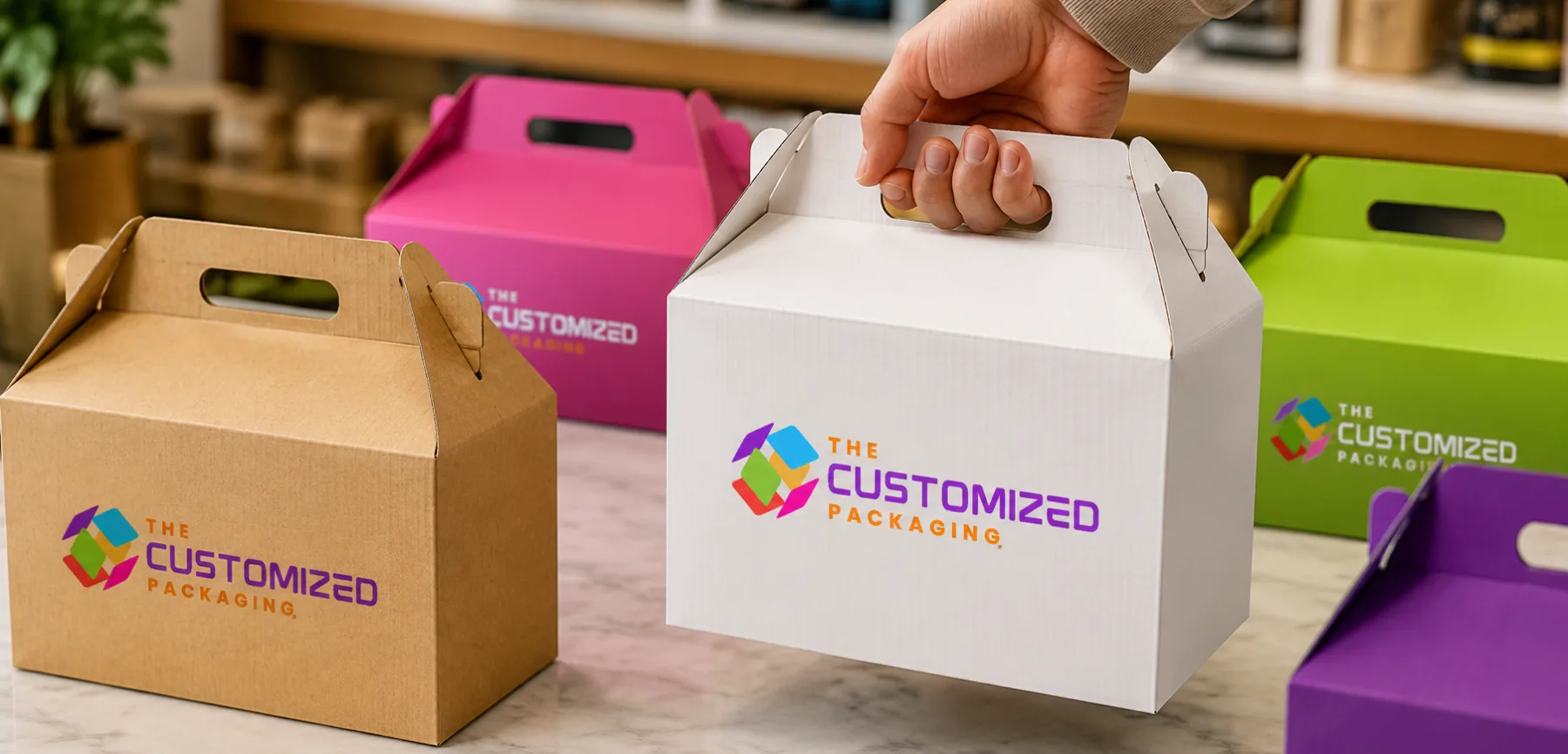
Every Stage Places Different Demands on the Packaging
The package may begin flat inside a bakery, restaurant, warehouse, store, or fulfillment center.
Employees assemble the box, load the products, close the upper panels, and hand it to the customer.
The customer may place the box on a counter, carry it through a crowded area, set it inside a vehicle, lift it again, and transport it to another location.
At the destination, the package may be placed on a table, desk, refrigerator shelf, gift display, event seat, or office counter.
The structure should remain attractive and secure throughout this journey.
The handle should not stretch or tear. The bottom should not bow. The side walls should remain upright. The printed panels should resist normal rubbing and scuffing. Products should not slide into one side and make the box difficult to balance.
A physical sample should therefore be tested through the complete customer journey rather than only inspected while stationary.
Carry-Ready Packaging Journey
| Customer stage | Packaging requirement | Branding opportunity | Main design consideration |
|---|---|---|---|
| Initial pickup | The handle should be obvious, comfortable, and secure | Place the logo where the customer and staff can see it | Handle opening and top closure must support the load |
| Walking or carrying | The box should remain balanced and closed | Broad side panels function as portable advertising | Product weight should remain centered |
| Vehicle transportation | Products should resist sliding, tipping, and collision | Exterior graphics remain visible during handoff | Inserts and a stable base help control movement |
| Arrival at destination | The box should stand upright and remain presentable | Packaging becomes part of the table, office, or event display | The base should remain flat and clean |
| Opening experience | Products should be organized and easy to remove | Interior printing, inserts, and cards extend branding | The closure should open without damaging the box |
| Product use | Packaging may continue storing the remaining items | Repeated logo exposure supports recall | The box should tolerate normal reopening |
| Sharing and photography | The package should look attractive from several angles | Social-media exposure can extend brand reach | Logo and artwork should remain visible in photographs |
| Disposal or reuse | Components should be easy to understand and separate | Clear disposal guidance can reinforce transparency | Claims should match the actual materials |
The final design should support both physical performance and brand communication at each stage.
The Built-In Handle Creates Immediate Convenience
Customers Should Understand How to Carry the Box Without Instructions
The handle is the most recognizable feature of a gable box.
Its position at the top shows customers where to lift the package. This can simplify the handoff process and reduce the need for a separate carrier.
The opening should accommodate a reasonable hand size. Rounded corners can reduce pressure against the fingers.
The handle panels may interlock, overlap, fold together, or use locking tabs to remain aligned.
If the box is wide, tall, or heavily loaded, the handle may require reinforcement.
The load should transfer from the handle into the side walls and base rather than concentrating pressure around one narrow cutout.
A carry-ready design should feel stable when first lifted. Excessive flexing or tilting may make the customer worry that the package will open or tear.
Handle Strength Influences Brand Perception
A Weak Carrying Experience Can Damage Customer Confidence
Customers may associate the physical quality of the packaging with the quality of the business.
A handle that bends sharply, cuts into the hand, separates from the top panel, or begins tearing can create a poor impression even when the product remains undamaged.
A strong, comfortable handle communicates preparation and reliability.
The correct handle design depends on the packed weight, carrying distance, corrugated flute, board grade, box width, and internal product balance.
Compact bakery boxes may use a standard interlocking handle.
Heavy gift kits, multiple glass jars, bottles, meal containers, and candle sets may require doubled panels, reinforced edges, wider openings, or additional support.
The business should test the maximum expected packed weight rather than an average or lightly filled sample.
Product Balance Keeps the Box Comfortable to Carry
Uneven Loading Can Make a Strong Handle Feel Unstable
Even a reinforced handle may feel uncomfortable when the products are concentrated on one side.
Heavy jars, bottles, candles, food containers, or electronics should be positioned to distribute weight across the base.
Custom inserts can keep products in the intended locations.
Dividers can prevent dense items from moving together during transportation.
A balanced layout helps the box remain level while carried.
The supplier should understand the weight of every product, not only the combined total. Two boxes with the same total weight may behave differently when one contains evenly arranged items and the other contains one heavy object placed near a side wall.
A physical sample should be carried by the handle and supported from the bottom to determine the safest recommended method.
Gable Boxes Turn Customers into Moving Brand Touchpoints
The Packaging Can Be Seen by People Beyond the Buyer
A customer carrying a printed gable box can create brand exposure in places where traditional packaging may remain hidden.
A bakery box may be carried through an office and placed in a meeting room.
A corporate kit may move through a hotel or conference center.
A takeaway meal box may travel through a lobby, vehicle, or residential building.
A cosmetic gift set may be carried through a shopping center.
A promotional box may appear in photographs, unboxing videos, event tables, and social-media posts.
The packaging should therefore be designed for more than one viewing angle.
A logo on both broad side panels allows the brand to remain visible regardless of carrying direction.
A smaller mark near the handle can support recognition from above.
The front and rear panels may include the website, social-media handle, product category, or short promotional message.
Logo Placement for Traveling Packaging
The Customer’s Hand Should Not Hide the Main Branding
The main logo should generally appear on the broad front and back panels rather than only near the handle.
The handle area can carry a secondary logo, but the customer’s hand may cover it while carrying.
The artwork should remain away from folds, tabs, locks, and panel edges.
A box carried at the customer’s side may be viewed from a lower or angled position. The logo should remain large enough to recognize from several feet away.
For event packaging, the organizer or sponsor logo can appear on one side while product or venue information appears on the other.
For food pickup, the business can reserve a clear label area for the customer name, order number, meal type, or pickup time.
A three-dimensional proof helps confirm whether the branding remains visible after assembly.
Brand Colors Improve Recognition While the Box Is Moving
Distinctive Color Can Be Remembered Before the Company Name
Customers may not read every word printed on a package while walking past it.
Color can create a faster impression.
A consistent purple, orange, blue, green, pink, black, white, or kraft-based palette can help the packaging remain recognizable.
Several product types can use the same structural design while changing accent colors.
A bakery can identify flavors through colored patterns.
A caterer can separate meal categories using labels or side-panel colors.
A cosmetic brand can use formula-based shades.
An event organizer can match the gable box to the campaign or venue colors.
The colors should be tested on the selected corrugated material. Kraft board can darken or mute artwork, while white material provides a brighter surface.
Memorable Shapes Strengthen Package Recognition
The Gable Silhouette Can Become Part of the Brand Identity
The gable top creates a recognizable roof-like profile.
This makes the box visually different from standard mailers, folding cartons, rectangular food containers, and shopping bags.
Businesses that use the same gable silhouette consistently may build structural recognition over time.
Customers may begin identifying the package before they read the logo.
A custom handle shape, sloping-panel pattern, window, color arrangement, or printed border can make the structure more distinctive.
Complex shapes should still remain practical.
A highly decorative handle may be uncomfortable. A large cutout may reduce strength. A wide gable top may increase material use and reduce stackability.
The structure should support brand recognition without creating carrying or production problems.
Printed Messages That Travel with the Customer
Short Copy Works Better Than Crowded Panels
A moving package is not the right place for long paragraphs on the main branding panels.
The logo, company name, product category, and short value message should remain easy to understand.
Examples include a bakery tagline, product benefit, event hashtag, campaign statement, website, or invitation to scan a QR code.
Detailed information can appear on a side panel, bottom panel, insert, product card, or interior surface.
The printed hierarchy should guide attention.
The brand name should be recognized first.
The product or purpose should be clear second.
The action, such as visiting the website, sharing a photo, placing another order, or scanning a code, should appear after that.
QR Codes Extend the Journey Online
Portable Packaging Can Connect Offline Attention with Digital Action
A QR code can turn a carried package into a direct link to the company.
Customers and other viewers can scan the code to reach an online ordering page, product menu, loyalty program, social-media profile, event schedule, instructional video, review page, subscription form, or promotional offer.
The code should appear on a flat, visible panel.
It should not cross a fold, locking tab, cutout, or heavily textured surface.
The design should include enough contrast and blank space around the code.
A short instruction can explain what the customer receives after scanning.
The destination should remain active for the complete life of the packaging.
Businesses should test the code on several devices before approving production.
Social-Media-Friendly Gable Packaging
Attractive Carry Boxes Can Encourage Sharing
Customers may photograph packaging that looks distinctive, colorful, premium, or gift-ready.
The gable shape, handle, tissue paper, products, ribbons, and printed artwork can create a strong visual presentation.
The logo should remain visible when the box is closed and when the products are displayed after opening.
A printed social-media handle or branded hashtag can make tagging easier.
Businesses can also include a QR code that opens the preferred social platform.
The box should not rely on social sharing as its only marketing value. It must still protect and carry the product successfully.
However, attractive packaging can support organic exposure when customers choose to photograph their purchase, gift, meal, or event experience.
Custom Corrugated Gable Boxes for Bakery Pickups
Baked Goods Can Travel Through Offices, Homes, and Events
Bakery products are often purchased for sharing.
Cupcakes, cookies, brownies, muffins, pastries, doughnuts, macarons, mini cakes, and dessert assortments may be carried to workplaces, parties, schools, family gatherings, and events.
A printed gable box can protect the products while displaying the bakery logo throughout the journey.
Custom inserts keep cupcakes upright.
Dividers separate cookies, brownies, pastries, or flavors.
A window can reveal part of the assortment.
The handle allows customers to carry the package without an additional bag.
The box height should provide clearance for frosting, toppers, tissue, and liners.
Butter, oil, cream, syrup, and moisture may require grease-resistant liners, trays, or internal packaging.
Restaurant and Café Takeaway Gable Boxes
The Customer Handoff Can Continue the Dining Experience
Takeout packaging becomes part of the restaurant experience.
A plain carrier may deliver the food successfully but create little brand recognition.
A custom printed corrugated gable box can organize several containers while displaying the restaurant logo, website, phone number, QR code, social-media handle, loyalty message, reheating guidance, or reorder information.
The lower compartment can hold meal containers, sides, desserts, napkins, utensils, sauces, and promotional cards.
Dividers can reduce movement.
Ventilation openings can release steam where appropriate.
The handle should be tested with the complete order weight.
For heavier meal packs, the box can include printed instructions encouraging customers to support the base.
Food Trucks and Mobile Food Businesses
Portable Packaging Matches the Grab-and-Go Sales Model
Food trucks, market stalls, festival vendors, pop-up cafés, and mobile caterers often sell in environments where customers immediately walk away with the product.
Carry-ready packaging can improve convenience and visibility in these settings.
Customers may move through crowds, stand in lines, sit in public areas, or carry the meal between event locations.
A gable box can contain several food components and provide a stable handle.
Bold printing can make the business more recognizable across the event.
The box can include the menu QR code, social-media handle, next-event location, loyalty offer, or online ordering information.
The structure should remain practical for staff to assemble and load during busy service periods.
Corporate Events and Conference Packaging
Branded Carry Boxes Can Move Throughout the Venue
Conference attendees, employees, guests, and clients may carry meal boxes, welcome kits, promotional materials, and gifts throughout a venue.
A custom gable box can display the event name, company logo, sponsor information, schedule QR code, hashtag, session details, or venue map.
The handle makes the package easier to carry between sessions, hotel rooms, meeting spaces, and transportation areas.
Internal compartments can organize food, notebooks, pens, brochures, electronics accessories, drinkware, and promotional items.
The box should remain compact enough for attendees to place under chairs, beside tables, or inside hotel rooms.
Large events should also consider flat-storage requirements, assembly speed, waste collection, and leftover packaging inventory.
Employee Onboarding and Workplace Kits
Carry-Ready Packaging Can Make Company Materials Feel More Organized
Businesses may use gable boxes for employee welcome kits, training materials, recognition gifts, office events, holiday programs, and internal campaigns.
The package can hold notebooks, pens, mugs, apparel accessories, ID materials, electronics, snacks, product samples, and printed documents.
Custom inserts keep the contents organized.
The exterior can display company branding, department information, campaign messaging, or the employee’s name.
A gable box allows employees to carry the kit through the workplace or home without another bag.
The package may remain on a desk or shelf after opening, extending brand exposure.
Gift and Retail Gable Boxes
Portable Presentation Can Replace a Separate Gift Bag
Retailers can use gable packaging for candles, cosmetics, stationery, gourmet foods, toys, home products, accessories, mugs, and gift bundles.
The box can include tissue paper, ribbons, printed cards, shredded filler, custom inserts, or product guides.
The handle makes the set ready to carry.
A consistent structure across several gift sizes can create a recognizable packaging family.
White corrugated material and full-color printing can support bright retail graphics.
Kraft board can create an artisan or natural appearance.
Dark printed material, foil accents, or premium finishes can support luxury positioning.
The structure should be selected according to product weight and protection requirements rather than appearance alone.
Cosmetic and Skincare Gable Boxes
Product Sets Can Travel as Ready-Made Gifts
Cosmetic brands can use gable boxes for skincare routines, sample collections, travel kits, promotional bundles, holiday sets, subscription products, and salon packages.
The packaging can hold bottles, jars, tubes, droppers, applicators, sachets, brushes, and product cards.
Custom inserts prevent containers from tipping and colliding.
The box exterior can communicate the formula, collection, ingredients, product benefits, QR code, or usage guide.
A premium printed gable box can make the set feel gift-ready.
Glass containers, liquids, pumps, and droppers require additional testing.
The box should be carried, placed in a vehicle, and opened repeatedly to confirm that the contents remain protected.
Candle and Home-Fragrance Gable Packaging
Heavy Glass Products Need Balanced Internal Support
Candle jars, wax melts, diffusers, room sprays, and fragrance gift sets can benefit from a corrugated gable structure.
The handle provides convenient carrying, but glass products create concentrated weight.
Corrugated inserts, partitions, corner supports, and molded-pulp components can control movement.
The handle and base may require reinforcement.
The products should be balanced across the box to prevent tilting.
Printing can display fragrance names, candle-care guidance, burn warnings, ingredients, website information, and the brand logo.
A premium structure can create strong gift appeal while the corrugated material provides protection.
Promotional Kits and Product Launches
Carried Packaging Can Extend Campaign Reach
Brands may use custom gable boxes for public-relations packages, product launches, influencer kits, retail samples, trade-show giveaways, and promotional campaigns.
The distinctive handle and shape can make the package feel more interactive than a standard carton.
The exterior can carry the campaign artwork, launch date, product message, hashtag, website, and QR code.
Interior printing and custom inserts can organize samples, cards, merchandise, and instructions.
Recipients may carry the kits through events or photograph them for social media.
For parcel shipping, an outer protective carton may be required to prevent damage to the handle and printed surfaces.
Gable Boxes for Weddings and Private Events
Personalized Carry Boxes Can Become Part of the Celebration
Wedding planners, venues, caterers, hotels, and hosts may use gable boxes for guest favors, welcome kits, meals, desserts, children’s activities, recovery kits, and thank-you gifts.
The packaging can display names, dates, monograms, venue details, event colors, schedules, maps, or QR codes.
Guests can carry the boxes between the ceremony, hotel, reception, and departure location.
The structure should match the weight and type of contents.
Food favors may require liners or individual wrapping.
Glass bottles or candles may require inserts.
Short-run digital printing can support personalized or limited-quantity events.
Local Delivery and Curbside Pickup
Packaging Should Remain Secure from Handoff to Destination
Local delivery and curbside pickup place additional demands on carry-ready boxes.
The package may be moved by restaurant staff, delivery drivers, customers, and venue employees.
A tamper-evident label can show whether the closure has been opened.
The label should remain away from the handle opening.
Products should fit securely so they do not slide during braking, turns, or repeated lifting.
The box should be placed on a level vehicle floor, platform, or stable delivery surface rather than a sloped seat.
A non-slip mat may help reduce movement.
The exterior should include a clear label area for customer names, order numbers, delivery instructions, or meal categories.
Choosing the Right Corrugated Material
Strength, Print Quality, and Weight Must Work Together
Corrugated board contains one or more fluted layers between liner sheets.
The flute profile affects thickness, rigidity, folding accuracy, print appearance, handle strength, storage volume, and price.
E flute is commonly used for retail, bakery, cosmetic, and gift gable boxes because it combines a relatively thin profile with useful rigidity.
F flute can support compact and lightweight packages.
B flute provides greater thickness and puncture resistance for heavier meals, glass containers, candles, and large product sets.
C flute and double-wall structures may support demanding applications but can make handle folds and closure tabs bulky.
The best material is the one that meets the real packed-weight and carrying requirements without unnecessary thickness.
Kraft Corrugated Gable Boxes
Natural Material Can Strengthen Artisan Brand Positioning
Custom kraft corrugated gable boxes are popular with bakeries, cafés, natural-food businesses, handmade-product brands, candle companies, event planners, gift sellers, and environmentally styled retailers.
The brown surface creates a warm, practical, rustic, or minimalist appearance.
Black, dark purple, orange, green, red, and navy can create strong contrast.
Pastel colors, photographs, and light artwork may appear muted.
One-color flexographic printing can provide an economical option for wholesale production.
White ink or an underbase can improve brightness but adds another production stage.
Businesses should approve a printed sample before placing a large order.
White Corrugated Gable Boxes
Bright Surfaces Support Detailed Brand Graphics
White corrugated material provides a cleaner background for photographs, gradients, pastel colors, illustrations, and full-color logos.
It can support cosmetics, premium foods, corporate gifts, event kits, retail bundles, and branded takeaway packaging.
White-top linerboard can provide a white exterior with a natural kraft interior.
White material may show grease, scuffs, dirt, and handling marks more easily than kraft.
A coating or lamination can improve appearance, but it may affect price, material separation, and recycling guidance.
Custom Printing Methods for Traveling Gable Boxes
The Order Quantity and Artwork Determine the Best Process
Digital printing can reproduce full-color artwork without conventional printing plates.
It works well for short runs, event packaging, personalized campaigns, product testing, seasonal programs, and multiple artwork versions.
Flexographic printing applies ink directly to corrugated board and can become economical for medium and large wholesale orders.
It works well for logos, text, patterns, barcodes, and limited-color graphics.
Litho lamination uses a separately printed sheet applied to corrugated board. It supports premium photographs, gradients, detailed illustrations, and precise brand colors.
The correct process depends on the artwork, material, quantity, budget, lead time, and expected print quality.
Printing Options and Best Applications
| Printing option | Best suited for | Main advantage | Main planning consideration |
|---|---|---|---|
| One-color flexographic printing | Kraft food, bakery, event, and wholesale carry boxes | Economical branding for larger runs | Each color may require a separate plate |
| Multi-color flexographic printing | Branded takeaway and retail programs | Direct printing with stronger visual identity | Color registration and plate costs should be reviewed |
| Digital printing | Events, product launches, seasonal designs, and low-MOQ orders | No conventional plates and easy artwork variation | Unit cost may remain higher for large volumes |
| Litho-laminated printing | Cosmetics, premium gifts, corporate kits, and retail campaigns | High-resolution photographs and detailed graphics | Additional processes can increase MOQ and lead time |
| Interior printing | Premium unboxing, subscriptions, and promotional kits | Extends branding after opening | Adds print coverage and production cost |
| Label branding | Small runs and changing product information | Flexible and economical for frequent variations | Labels may not provide full-panel brand impact |
| Sleeves and wraps | Shared structural sizes with different campaigns | Allows one box to support several products | Adds another packaging component |
| Foil and embossing | Luxury gifts, beauty, candles, and corporate programs | Creates premium visual and tactile detail | Tooling and finishing increase cost |
| Spot UV and lamination | High-end printed gable packaging | Adds contrast and surface protection | May affect material complexity and recovery |
Businesses should select the printing method according to the complete campaign rather than only the lowest unit price.
Premium Finishes Can Improve Memorability
Selected Details Should Reinforce the Brand Position
Foil stamping can highlight the logo, event name, or product title.
Embossing and debossing add texture.
Spot UV creates contrast between glossy and matte areas.
Soft-touch finishes can create a premium surface.
Matte or gloss lamination may protect printed graphics from handling and scuffing.
These finishes can support cosmetic sets, luxury gifts, corporate programs, candle packaging, and special events.
They also add production time, tooling, cost, and material complexity.
The finish should contribute to the customer experience rather than covering every panel without a clear purpose.
Window Gable Boxes Improve Product Visibility
Customers Can See the Contents While Carrying the Package
A clear window can reveal cupcakes, cookies, gifts, cosmetics, candles, crafts, or specialty foods before the box is opened.
The window may appear on a broad side panel, upper slope, or front.
The opening should be positioned where it displays the most attractive product area.
Removing corrugated material can reduce structural strength.
The remaining frame should be wide enough to support the side walls and handle.
The film, adhesive, refrigeration, condensation, scratching, and disposal requirements should be reviewed.
The business should not describe a window box as plastic-free, compostable, or fully recyclable unless the complete material specification supports that statement.
Inserts Keep Products Organized During Travel
Internal Stability Protects Both the Product and Brand Experience
Carrying motion can cause products to slide, collide, tip, or spill.
Custom inserts can hold the contents in the intended position.
Cupcake inserts support individual baked goods.
Bottle dividers prevent glass containers from touching.
Cutout platforms hold jars, candles, tubes, or food containers upright.
Corner supports protect fragile products.
Raised trays improve presentation.
Partitions separate meal components, gifts, samples, and promotional items.
A well-organized interior makes the unboxing feel more intentional.
The insert should provide enough control without making packing or product removal difficult.
Tamper-Evident Seals Support Customer Confidence
A Visible Closure Can Reassure Pickup and Delivery Customers
Restaurants, bakeries, healthcare businesses, local-delivery services, and sample programs may add tamper-evident labels to gable-box closures.
The seal can display the company logo, customer name, order number, meal type, or handling message.
It should break or show visible damage when the box is opened.
The label should not interfere with the carrying opening.
A tamper-evident seal does not replace proper handling or regulatory requirements, but it can show that the package remained closed after packing.
The adhesive should perform under expected temperature, humidity, and refrigeration conditions.
Assembly Speed Affects Grab-and-Go Operations
Fast Service Requires Packaging That Employees Can Prepare Reliably
Restaurants, bakeries, caterers, events, retailers, and fulfillment centers may need to assemble many gable boxes within a short period.
A manual-lock structure may have a lower unit cost but require more folding.
An auto-lock bottom can open quickly and reduce assembly time.
A snap-lock bottom may provide stronger support but require a specific folding sequence.
Employees should test the sample before production.
The box should have clear crease lines and tabs.
A structure that looks attractive but takes too long to assemble can slow service and increase labor costs.
Businesses should compare unit price with the time required to prepare each box.
Flat Storage Supports Operational Efficiency
Unassembled Boxes Use Less Space Before Packing
Corrugated gable boxes are commonly supplied flat.
This can reduce storage and transportation volume compared with pre-assembled cartons.
The flat boxes should remain in a clean, dry area away from water, grease, strong odors, pests, direct sunlight, and excessive humidity.
Stacks should be protected from bending and compression.
Different sizes, artwork versions, meal categories, or campaign designs should be labeled clearly.
Auto-lock boxes may occupy slightly more flat-storage space because of their glued construction, but they can save packing time.
Carrying Tests Should Match the Real Customer Journey
Static Weight Testing Does Not Show Every Potential Problem
A package may support weight while sitting on a table but behave differently when carried.
The sample should be lifted by the handle, walked with, placed inside a vehicle, set down, lifted again, and opened.
The tester should evaluate handle comfort, closure security, bottom flexing, balance, scuffing, and product movement.
For food, the business should also test steam, heat, grease, refrigeration, condensation, and holding time.
For glass items, impact and collision should be reviewed.
For events, the box should be carried through stairs, corridors, seating areas, and transportation zones where possible.
The sample should use the maximum expected packed weight.
Refrigeration and Humidity Can Affect Carrying Strength
Moisture Changes the Performance of Paper-Based Materials
Paper fibers can absorb moisture and lose rigidity.
Bakery boxes, meal packaging, cosmetic kits, and gift products may experience refrigerators, humid kitchens, outdoor events, coastal environments, or temperature changes.
The handle, glue areas, base, and side walls can weaken under excessive moisture.
Condensation may also reduce print quality or create surface marks.
The packaging should be tested during the actual storage period and after removal from refrigeration.
Suitable board grades, liners, coatings, or protective components may be required.
Moisture-resistant treatments should be considered when making recycling claims.
Sustainability and Portable Packaging
One Carry-Ready Structure May Replace Several Packaging Components
A corrugated gable box may replace a separate product carton and shopping bag in some applications.
Custom sizing can reduce empty space and unnecessary board.
Flat-packed boxes can reduce storage and transportation volume before use.
Corrugated fiber is commonly collected through paper-recovery programs, but local acceptance varies.
Food residue, grease, plastic windows, labels, tape, lamination, foam, and mixed inserts can affect recovery.
Businesses should evaluate the entire package rather than only the outer corrugated shell.
Specific claims about recycled content, material reduction, fiber sourcing, or component separation are generally more reliable than broad statements such as completely sustainable or zero-waste.
Wholesale Custom Corrugated Gable Boxes
Bulk Production Supports Consistent Portable Branding
Businesses using gable boxes regularly may benefit from wholesale custom corrugated gable boxes.
Larger production quantities can distribute the cost of dielines, cutting tools, printing plates, structural development, color setup, and machine preparation across more units.
Wholesale production helps maintain consistent logo placement, colors, dimensions, handle strength, bottom structure, closures, and material quality.
Bakeries, restaurants, caterers, retailers, event planners, gift companies, cosmetic brands, candle businesses, corporate programs, subscription companies, and promotional agencies may order gable boxes in bulk.
Before placing a large order, businesses should confirm the approved sample, monthly usage, storage space, artwork life, product changes, seasonal demand, and delivery schedule.
A lower unit cost does not create value when unused packaging becomes outdated.
Minimum Order Quantities for Custom Gable Boxes
Production Method and Structure Influence the MOQ
The minimum order quantity depends on the box dimensions, corrugated material, printing process, inserts, finishing, handle reinforcement, windows, and supplier capabilities.
Digital printing may support lower quantities for product launches, events, seasonal packaging, and market testing.
Flexographic printing often becomes more economical for medium and large runs.
Litho lamination, foil, embossing, custom windows, complex inserts, and reinforced structures may require higher minimums.
Businesses searching for custom corrugated gable boxes no minimum may need to compare prototypes, digital short runs, stock boxes with custom labels, and fully customized production.
Lower quantities generally result in a higher price per box.
What Influences Corrugated Gable Box Pricing?
Every Material and Structural Choice Affects the Quote
The price of custom corrugated gable boxes depends on internal dimensions, flute profile, board grade, handle design, reinforcement, bottom style, closure, printing, inserts, windows, finishing, quantity, packing, tooling, and freight.
Large boxes use more material.
Tall boxes require larger blanks.
Reinforced handles and auto-lock bottoms add production steps.
Full-color litho-laminated printing usually costs more than one-color flexographic printing.
Custom inserts, windows, ventilation, foil, embossing, lamination, and interior artwork add materials or processes.
Wholesale quantities may reduce the unit price but increase the total order value and storage needs.
Businesses should compare complete delivered quotations rather than general starting prices.
How to Reduce Gable Packaging Costs
Practical Simplification Can Preserve Branding and Performance
Accurate dimensions reduce unnecessary material.
A standard handle shape may cost less than a complex custom cutout.
One-color or two-color printing can create strong kraft packaging.
One structural size may support several products through labels, sleeves, or different digital artwork.
Flat-packed delivery can reduce freight and storage volume.
Reusable printing plates and cutting dies may reduce repeat-order setup costs.
A simplified insert can provide enough product control without excessive components.
Cost reduction should not weaken the handle, base, closure, or product protection.
A failed carrying experience can cause product damage, spills, complaints, and lost brand trust.
How to Request an Accurate Gable Box Quote
Complete Information Helps Suppliers Recommend the Correct Structure
Businesses requesting pricing should provide the internal length, width, and height; individual product dimensions; total packed weight; quantity per box; carrying distance; bottom preference; handle requirement; closure; material; printing; inserts; order quantity; and delivery ZIP code.
The supplier should also understand the storage conditions, transportation, assembly process, product-contact requirements, and delivery deadline.
Physical product samples can improve structural accuracy.
The manufacturer should prepare a dieline before final artwork approval.
A blank sample should be packed and carried.
The final quotation should identify the corrugated grade, flute profile, handle reinforcement, base, closure, printing method, tooling, inserts, quantity, lead time, packing, and freight.
How to Choose a Corrugated Gable Box Manufacturer
Structural Engineering and Print Quality Should Be Evaluated Together
A professional custom corrugated gable box manufacturer should understand product weight, handle pressure, base strength, product balance, printing, assembly, transportation, and customer use.
The supplier should ask detailed questions about the actual contents and carrying journey.
Businesses should request the material specification, dieline, digital proof, physical sample, printing details, minimum order quantity, tooling cost, lead time, packing method, and freight.
The manufacturer should explain why the proposed flute, handle, bottom, closure, and insert are suitable.
A low quotation may not provide good value when the handle tears, the base opens, the box tilts, or the artwork is hidden during carrying.
Buy Custom Corrugated Gable Boxes Online
Detailed Specifications Produce More Reliable Packaging
Businesses ready to buy custom corrugated gable boxes online should provide complete product and carrying information.
The supplier can then recommend kraft or white material, E flute or B flute, a snap-lock or auto-lock base, standard or reinforced handle construction, inserts, windows, and an appropriate printing process.
A dieline should be approved before printing.
The physical sample should be tested using the maximum expected load.
The final purchase order should identify dimensions, material, printing, inserts, tooling, finishing, quantity, packing, freight, and production time.
Businesses comparing corrugated gable box manufacturers in the USA should compare identical specifications rather than advertised prices alone.
Custom Corrugated Gable Boxes Across the USA
Carry-Ready Branded Packaging for Businesses Nationwide
At The Customized Packaging, we provide custom corrugated gable boxes for bakeries, restaurants, cafés, caterers, retailers, cosmetic companies, candle brands, event planners, gift businesses, hotels, schools, healthcare suppliers, ecommerce companies, promotional agencies, manufacturers, wholesalers, and distributors throughout the USA.
We manufacture bakery carry boxes, takeaway gable packaging, corporate gift cartons, kraft boxes, white printed gable boxes, reinforced-handle structures, auto-lock boxes, window packaging, food carry cartons, custom inserts, dividers, and full-color boxes with logo.
Businesses searching for custom corrugated gable boxes near me, corrugated gable box manufacturer USA, wholesale gable boxes with logo, custom food carry boxes, bakery packaging supplier USA, or order corrugated gable boxes online can request packaging developed around their products and carrying requirements.
We support businesses throughout New York, New Jersey, California, Texas, Florida, Illinois, Pennsylvania, Ohio, Georgia, North Carolina, Washington, Massachusetts, Virginia, Michigan, Arizona, Tennessee, Indiana, Missouri, Maryland, Wisconsin, Colorado, Minnesota, Nevada, Oregon, Kentucky, Utah, and other locations across the United States.
Want to Estimate Your Corrugated Gable Box Cost?
Try the Custom Box Packaging Cost Calculator
Businesses planning portable packaging can use the Custom Box Packaging Cost Calculator to develop an initial estimate based on dimensions, structure, material, printing, finishing, inserts, and quantity.
The calculator can help estimate bakery gable boxes, takeaway food packaging, gift carry boxes, cosmetic kits, promotional packaging, corporate boxes, event meal cartons, kraft gable packaging, white printed boxes, window structures, reinforced-handle boxes, and custom inserts.
The final quotation may change according to the flute profile, board strength, packed weight, handle reinforcement, base style, closure, print coverage, window, ventilation, inserts, premium finishes, tooling, quantity, assembly, freight, and delivery destination.
After reviewing the estimate, businesses can request a detailed custom corrugated gable box quote based on their complete product and carrying specifications.
Why Choose The Customized Packaging?
Carry Packaging Designed to Protect Products and Travel with the Brand
At The Customized Packaging, we create custom corrugated gable boxes that help businesses simplify product carrying, improve customer handoffs, protect the contents, and increase brand visibility beyond the point of sale.
We provide natural kraft board, white corrugated material, white-top liners, E flute, F flute, B flute, reinforced handles, snap-lock bottoms, auto-lock bases, windows, ventilation, custom dividers, fitted inserts, digital printing, flexographic printing, litho-laminated graphics, premium finishes, samples, and wholesale pricing.
Our gable packaging supports bakery assortments, takeaway meals, cosmetics, candles, employee kits, retail gifts, event meals, promotional products, subscription collections, and other portable applications.
As a professional custom box manufacturer and packaging supplier, we develop each structure around the product dimensions, packed weight, carrying distance, handle comfort, product balance, storage, branding, order quantity, and delivery destination.
Businesses remain responsible for confirming that selected materials, inks, coatings, adhesives, liners, windows, inserts, labels, environmental claims, and product-contact components meet the requirements applicable to their products and markets.
Final Thoughts
Memorable Carry Packaging Keeps Working After the Customer Leaves
Custom corrugated gable boxes create a direct connection between convenience, protection, and brand exposure.
Customers can grab the box through its integrated handle, carry it without an additional bag in many applications, and take the company branding into offices, homes, stores, events, hotels, vehicles, schools, and public spaces.
The gable shape helps the package stand apart from standard cartons.
Broad side panels create space for logos, colors, product information, QR codes, website details, and short promotional messages.
Corrugated material provides the rigidity required for bakery items, meals, gifts, cosmetics, candles, samples, corporate kits, and other products.
The handle, bottom, closure, dividers, and inserts should be developed around the real packed weight and carrying journey.
Digital printing can support short runs and campaign variations. Flexographic printing can offer efficient wholesale branding. Litho lamination can create premium high-resolution graphics.
Kraft board can communicate a natural or artisan identity, while white and full-color printed materials can create a brighter retail appearance.
Physical testing remains essential because the box must perform while being assembled, packed, lifted, carried, transported, set down, opened, and sometimes reused.
Whether you need bakery carry boxes, restaurant takeaway packaging, event meal cartons, gift gable boxes, corporate kits, cosmetic sets, promotional packaging, wholesale corrugated gable boxes, or custom printed carry boxes with logo, the correct design can help customers grab the product, take it with them, and remember the brand behind it.
For complete guidance about gable-box styles, corrugated materials, handles, printing, inserts, pricing, and wholesale manufacturing, read our main pillar article titled “Custom Corrugated Gable Boxes: The Carry-Ready Packaging That Gets Brands Noticed.”
At The Customized Packaging, we create corrugated gable packaging that is built to protect, designed to carry, and printed to travel with your brand throughout the USA.